
Sample #1
Ski lodge
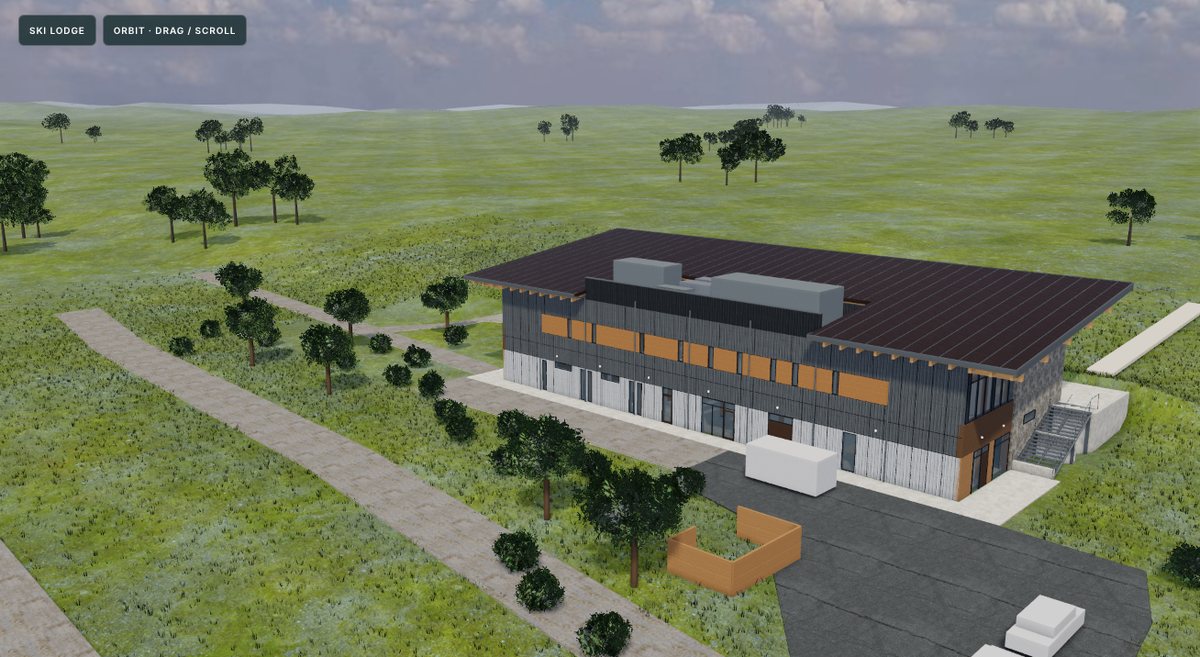
Two-storey timber lodge with its site, about thirteen months from mobilization to completion.
Download sample · drawings, spec, takeoff, 3D
Estimating · App
Takeoff AI is a quantity takeoff app I built. Load a drawing set and the spec, and it measures walls, rooms, doors, windows and paint areas. Then it builds the job in 3D and plays the schedule as a 4D timeline you can scrub day by day.
No account, no subscription. Bring your own Claude, ChatGPT or open source model.
4D build
From the drawing set, the AI builds a 3D model of the building and the site, then lays the schedule over it. Drag the timeline and the building goes up the way it would on site: earthworks, foundations, frame, envelope, roof and finishes. Excavators, cranes, scaffolding and fencing come and go with the work.
Takeoff
Each takeoff sits on the drawing where it was measured, grouped by trade and paint type. Click a type and every instance lights up across the set. The quantities update as you go and export to Excel.
Specs
Drop in the spec book and it is split into its divisions, sections and articles. Every drawing a section names is linked, so you can go from the painting section to the elevations it covers and back.
Project map
Every spec section becomes a node, grouped by division, with lines to the drawings and schedules it points to. Switch to 3D and the AI clusters the sections by meaning, so concrete, masonry, openings and thermal sit together and you can see what ties to what.
Try it
Each one comes with the full drawing set, the spec book, a finished takeoff and the 3D model, so you can see the whole workflow. Open them from inside the app, or download the file and open it with Takeoff AI. Names, logos and addresses are removed.
Two-storey timber lodge with its site, about thirteen months from mobilization to completion.
Download sample · drawings, spec, takeoff, 3D
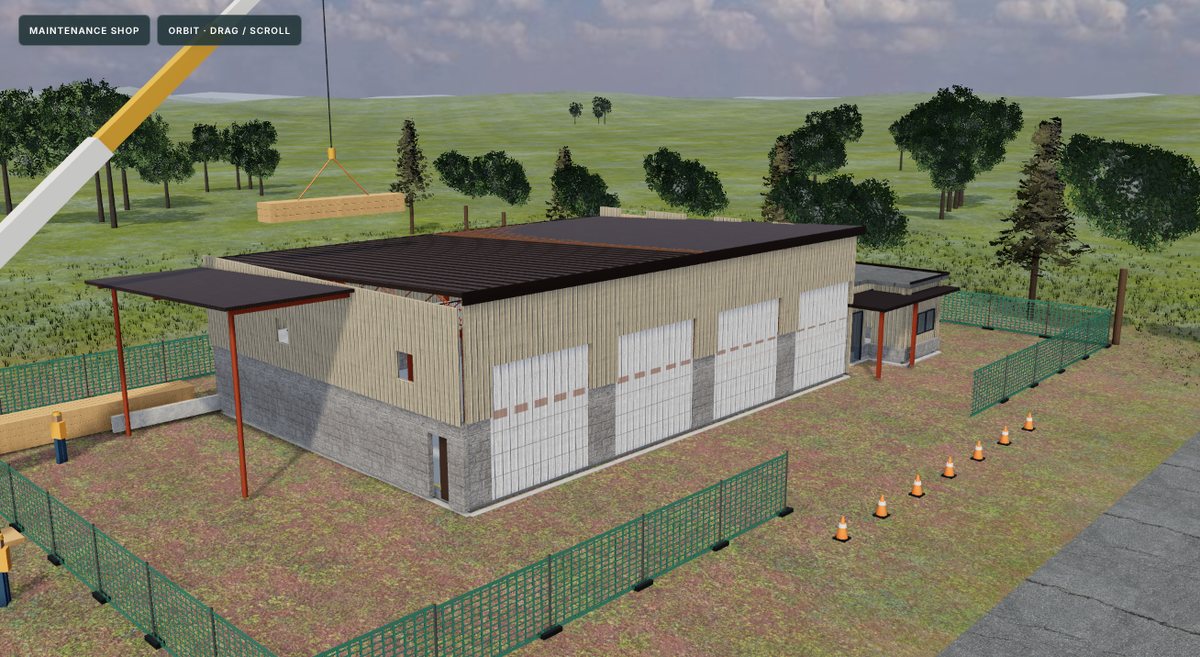
Municipal vehicle shop with bays, office and mezzanine, taken off across every division.
Download sample · drawings, spec, takeoff, 3D
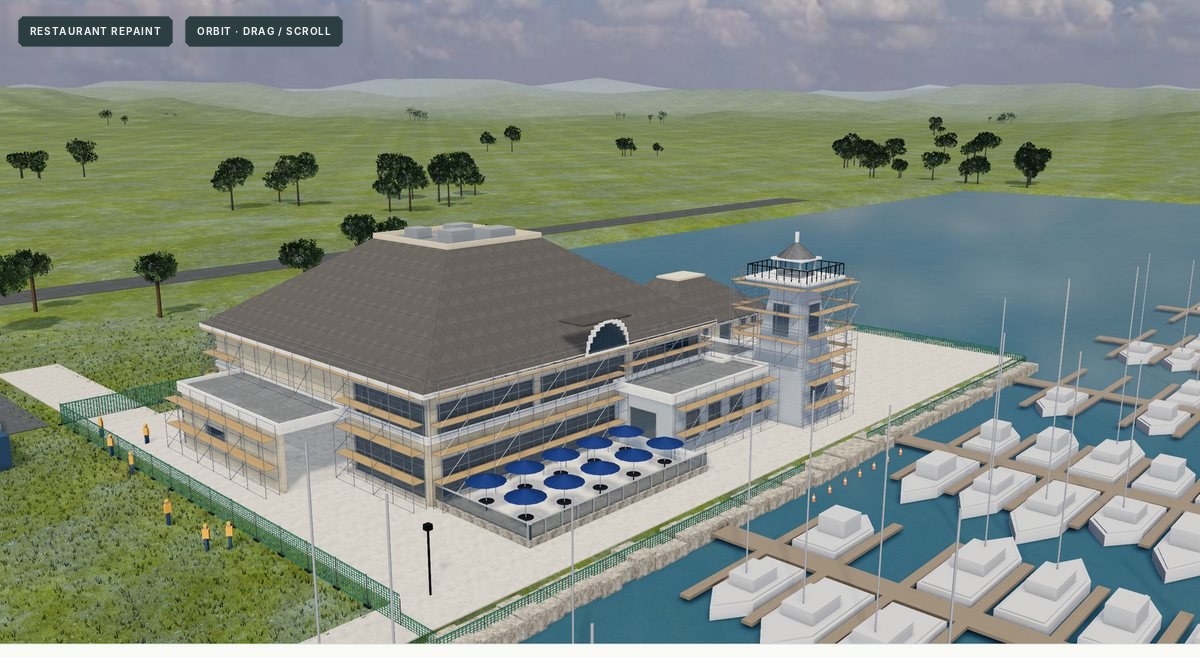
Exterior repaint and new windows on a restaurant, with scaffolding, over three months.
Download coming soon · drawings, spec, takeoff, 3D
The app has no AI of its own and never uses mine. In the desktop app, connect the Claude or ChatGPT app you already pay for. In the web app, paste your own Anthropic or OpenAI API key. Click Connect AI at the top right of any project.
The app is just the program. Drawings, project files and API keys stay on your own computer or in your browser. Nothing is stored on a server.
The app isn't code-signed yet, so your computer will ask before opening it the first time.
Open, then Open again.More info, then Run anyway.No. Scale, measuring, counts, the spec reader and the built-in Automate tools work without any AI.
Yes, in the desktop app. It connects to the Claude Desktop, Claude Code or ChatGPT Codex app on your computer, and that AI can run the whole takeoff. The web app can't reach those apps, so there you use your own Anthropic or OpenAI API key instead.
The web app is great for opening the samples and measuring. For full AI takeoffs, download the desktop app and connect your own Claude or ChatGPT.
It stays in your browser or on your computer and goes straight to the AI provider. They bill you for what you use. Nothing passes through me.
Yes, and open source. The only cost is your own AI, if you use one.
Come on the show and talk about it.